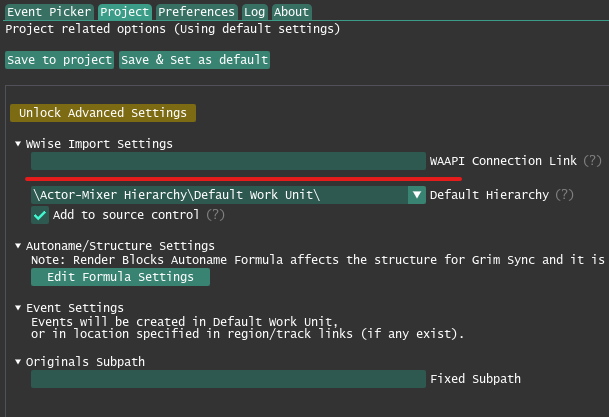
Project Settings
Render Blocks Settings
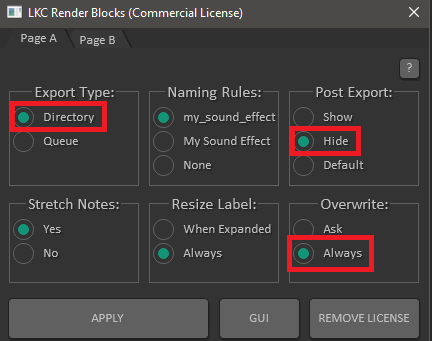
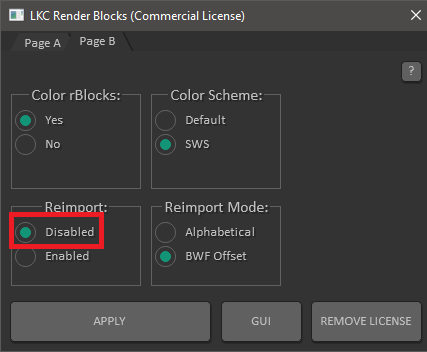
Run action LKC - RenderBlocks - Settings.lua to change these.
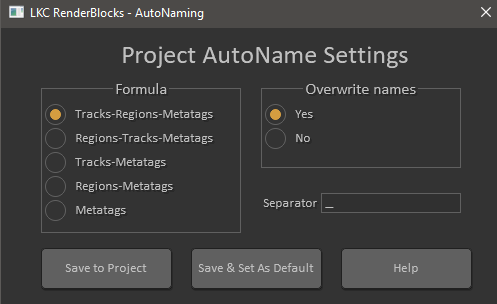
AutoNaming Formula
Run action LKC - RenderBlocks - AutoName Settings.lua and choose your formula. This formula will affect hierarchy creation in Grim Sync.
Render Settings
- Directory: Some relative location is advised (e.g.
Rendered) - Filename: DON'T USE wildcards as patterns for naming — file name will be overwritten with render block names

- Leave Add rendered items to new tracks in project unchecked

- Leave Silently increment filenames to avoid overwriting unchecked

- Audio file format must be WAV for importing to work in Wwise

- BWF metadata is recommended to have ReaOpen support

Wwise Settings
In Project -> User Preferences, WAAPI must be enabled. Displayed here are default IP and port settings.

warning
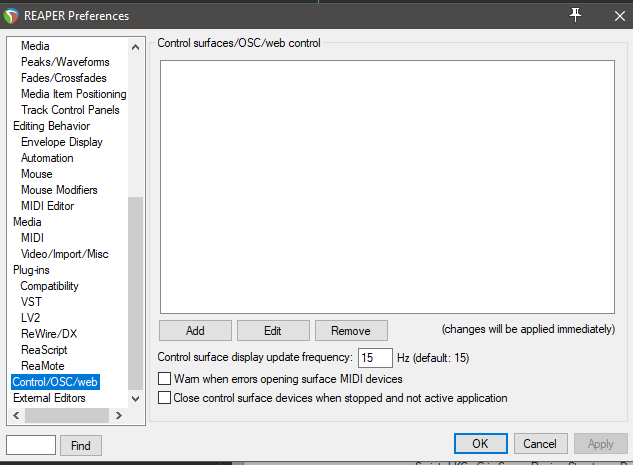
If you are using default WAAPI settings make sure that inside REAPER some other hardware/software is not using the same port. Check control surfaces/OSC/web control list inside REAPER preferences.
If you need to change default WAAPI settings in Wwise you can customize the URL through which Grim Sync connects to Wwise.