Metatags
This is a Premium Feature
Metatags are special text tags that allow you to define some custom settings per block.
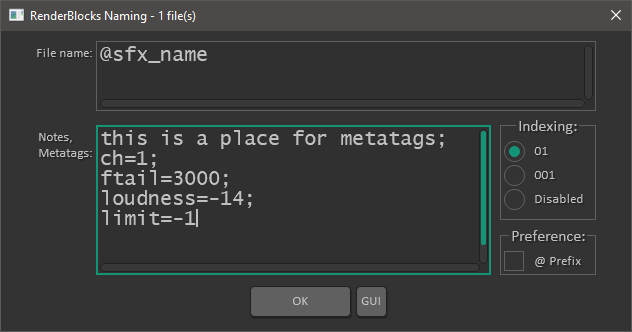
- Metatags are defined inside the naming editor.
- You can set metatags for multiple blocks at once and
- You can define multiple metatags for one block, separated by a semicolon (;).
- Metatags will override default render settings.
Defining a metatag
- Make item selection (one or more blocks)
- Run LKC - RenderBlocks - Enter metatag.lua
- Enter desired metatag using formula:
metatag=value
- Click OK or press ENTER
Available metatags (case sensitive):
- ch - number of channels (predefined config/custom number)
- tail - tail value (ms)
- ftail - faded tail (ms)
- loudness - desired output loudness value (-dB)
- limit - limiter value (-dB)
Channel Metatags
Old channel metatags with ! prefix are deprecated but backwards compatible.
REAPER can actually render file with any number of channels (odd or even) and you can define that inside render settings, or per block using channel metatags.
| Predefined | Custom (any number - odd or even) |
| ch=mono ch=stereo ch=quad ch=5.1 ch=7.1 | ch=1 ch=2 ch=3 ch=4 ch=5 etc. |
-
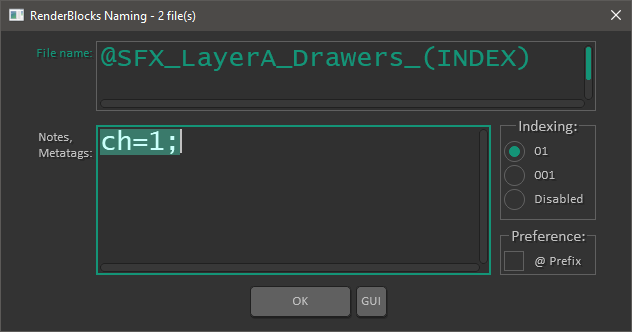
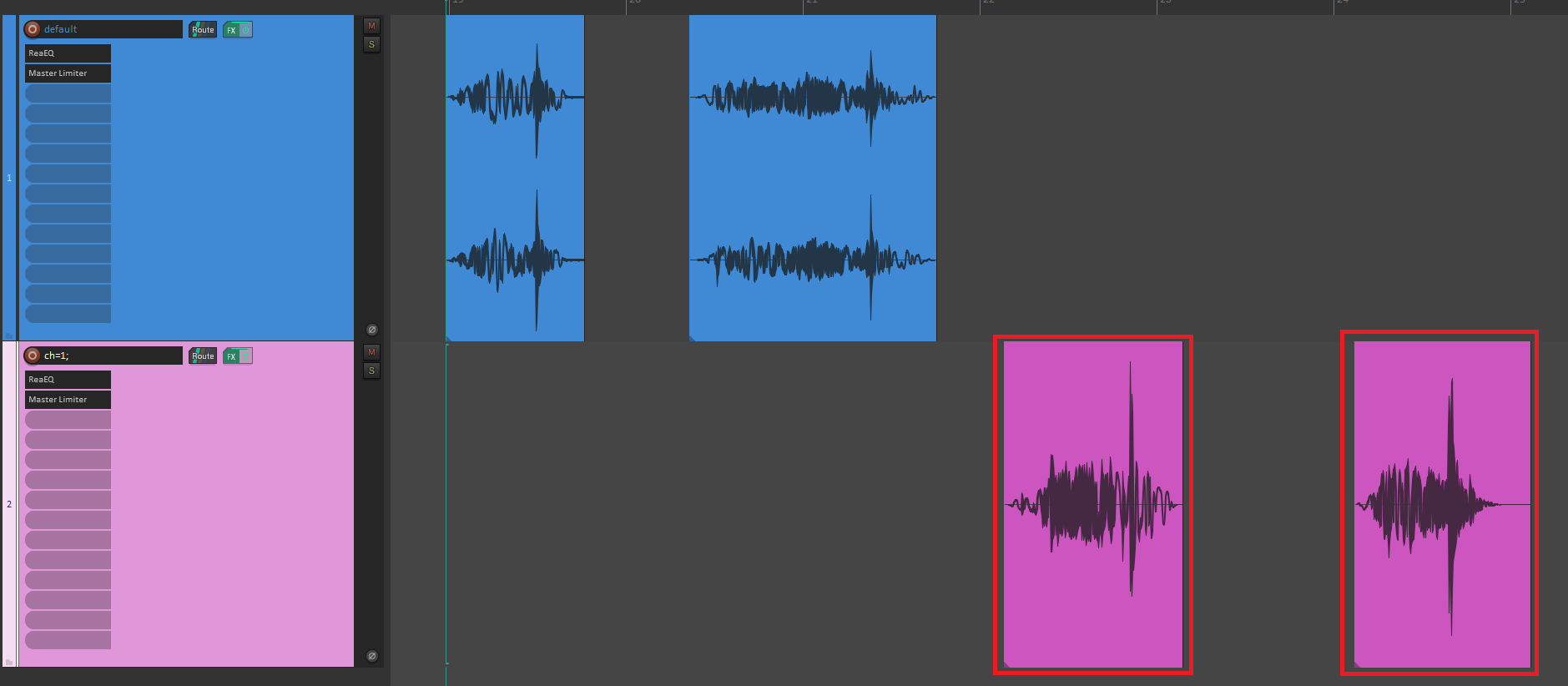
Use channel metatags to override how many channels will be in the output file
-
Make sure to fulfill these prerequisites for multichannel files:
-
Tracks needs to be multichannel
-
Folders needs to be multichannel
-
Master track needs to be multichannel
Render settings will be handled automatically
Tail Metatags
Render Blocks will consider render settings window value  for the tail and use it for rendered files by default.
There is a bug currently for default tail and render blocks. Enable tail while on region render matrix/ all project regions setting. After that save render settings and then it should be fine. This bug does not affect adding tail and ftail metatags.
Besides that you can define two custom tail metatag types - tail and ftail. This is very useful for sounds that have long reverb tails.
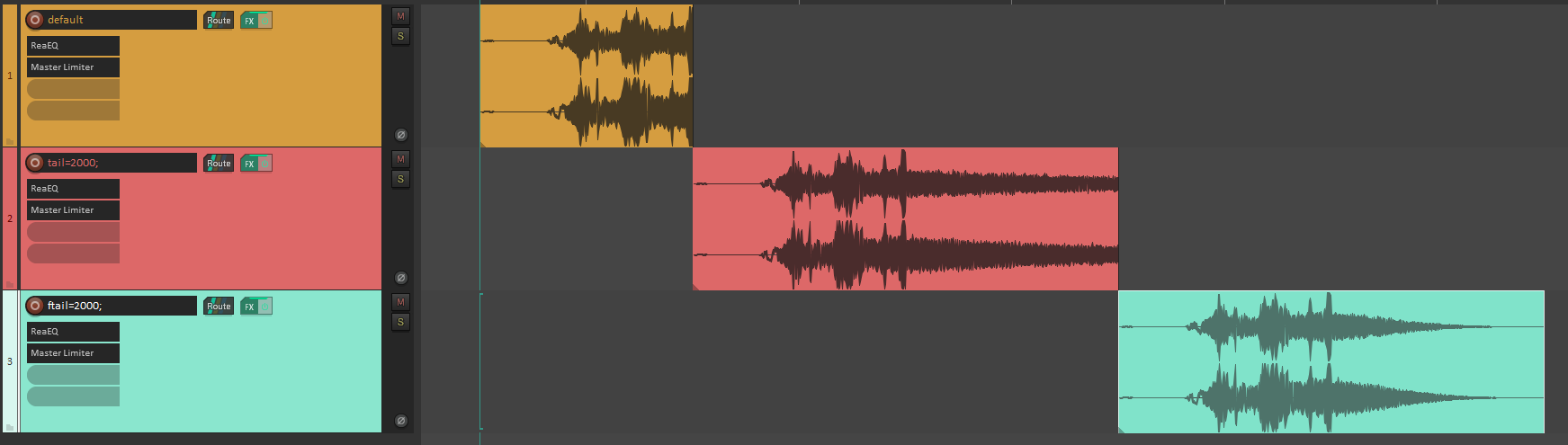
The example shows the same sfx rendered with different tail settings.
| ORANGE | no tail metatag |
| RED | tail=2000 |
| GREEN | ftail=2000 |
Fade shape that is used for ftail is shown in the image below and for now cannot be changed.